本文主要对ErrorMvcAutoConfiguration进行说明
在web开发过程中总会遇到各种各样的错误,错误页面可以给予我们很好的帮助,本文介绍下springboot中的错误页面的自动配置与定制错误页面。
使用SpringBoot开发Web项目时,可以看到是有默认的错误处理
1)浏览器访问不存在的请求地址时,包含有时间、状态码等信息。
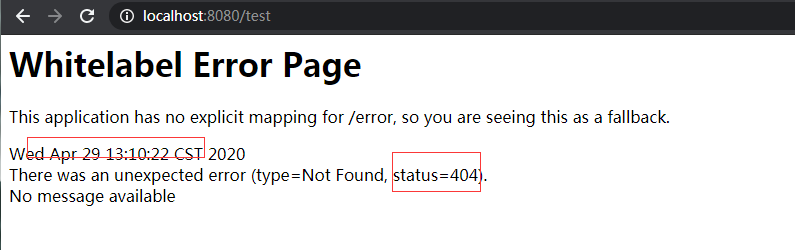
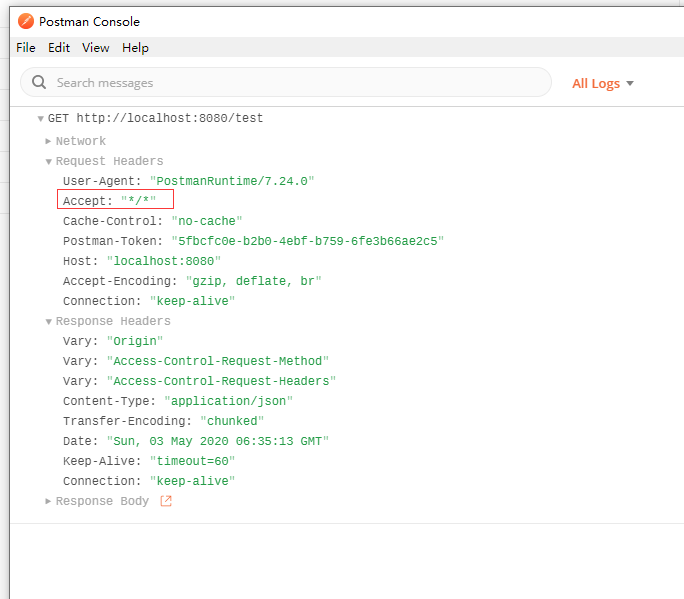
2)使用postman(非浏览器客户端)发送请求,返回的则是json数据
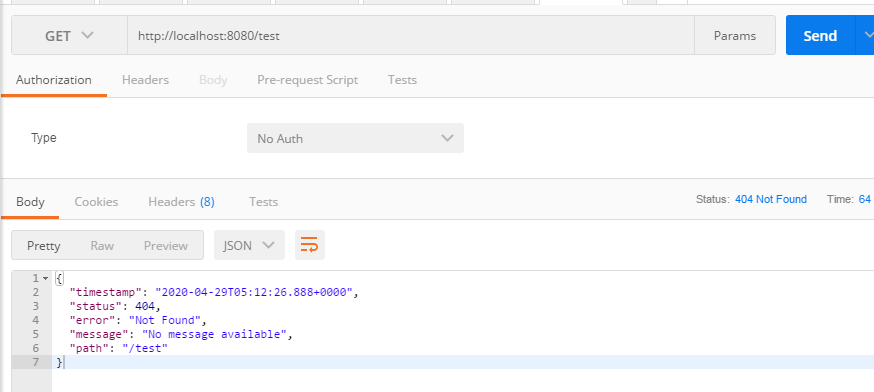
会出现这种现象是由于请求头的原因
浏览器发送请求会携带有text/html的请求头 如下
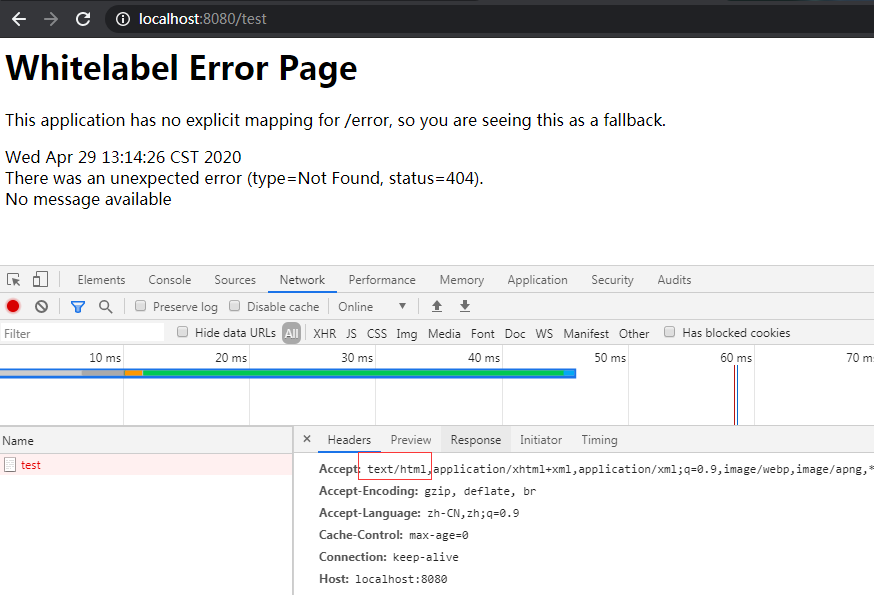
而非浏览器请求头中不包含这个值
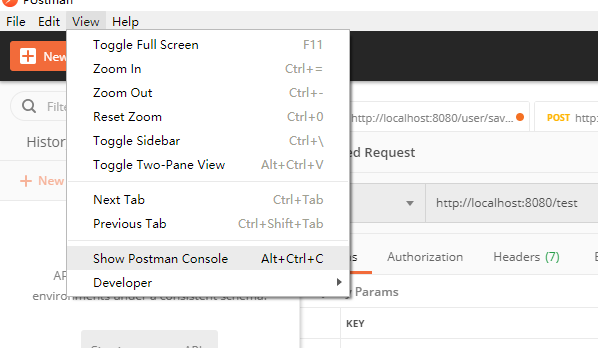
首先需要将Developer Tools调试出来
ErrorMvcAutoConfiguration原理
步骤:一但系统出现4xx或者5xx之类的错误;ErrorPageCustomizer就会生效(定制错误的响应规则);就会来到/error请求;就会被BasicErrorController处理;
在这个自动配置类中可以看到有以下组件
1.DefaultErrorAttributes
页面能获取的信息;
timestamp:时间戳
status:状态码
error:错误提示
exception:异常对象
message:异常消息
errors:JSR303数据校验的错误都在这里
1
2
3
4
5
6
7
8
9
| @Override
public Map<String, Object> getErrorAttributes(WebRequest webRequest, boolean includeStackTrace) {
Map<String, Object> errorAttributes = new LinkedHashMap<>();
errorAttributes.put("timestamp", new Date());
addStatus(errorAttributes, webRequest);
addErrorDetails(errorAttributes, webRequest, includeStackTrace);
addPath(errorAttributes, webRequest);
return errorAttributes;
}
|
2.BasicErrorController
默认处理/error请求
1
2
3
4
5
6
7
8
9
10
11
12
13
14
15
16
17
18
19
20
21
22
23
24
25
26
27
28
29
30
31
32
33
34
35
36
37
38
39
40
41
42
43
44
45
46
| @Controller
@RequestMapping("${server.error.path:${error.path:/error}}")
public class BasicErrorController extends AbstractErrorController {
@RequestMapping(produces = MediaType.TEXT_HTML_VALUE)
public ModelAndView errorHtml(HttpServletRequest request, HttpServletResponse response) {
HttpStatus status = getStatus(request);
Map<String, Object> model = Collections
.unmodifiableMap(getErrorAttributes(request, isIncludeStackTrace(request, MediaType.TEXT_HTML)));
response.setStatus(status.value());
ModelAndView modelAndView = resolveErrorView(request, response, status, model);
return (modelAndView != null) ? modelAndView : new ModelAndView("error", model);
}
AbstractErrorController.java
protected ModelAndView resolveErrorView(HttpServletRequest request, HttpServletResponse response, HttpStatus status,Map<String, Object> model) {
for (ErrorViewResolver resolver : this.errorViewResolvers) {
ModelAndView modelAndView = resolver.resolveErrorView(request, status, model);
if (modelAndView != null) {
return modelAndView;
}
}
return null;
}
@RequestMapping
public ResponseEntity<Map<String, Object>> error(HttpServletRequest request) {
HttpStatus status = getStatus(request);
if (status == HttpStatus.NO_CONTENT) {
return new ResponseEntity<>(status);
}
Map<String, Object> body = getErrorAttributes(request, isIncludeStackTrace(request, MediaType.ALL));
return new ResponseEntity<>(body, status);
}
}
|
3.ErrorPageCustomizer
1
2
3
4
5
6
7
8
9
10
11
12
|
@Override
public void registerErrorPages(ErrorPageRegistry errorPageRegistry) {
ErrorPage errorPage = new ErrorPage(
this.dispatcherServletPath.getRelativePath(this.properties.getError().getPath()));
errorPageRegistry.addErrorPages(errorPage);
}
--------------------------------------------------
public class ErrorProperties {
@Value("${error.path:/error}")
private String path = "/error";
|
4.DefaultErrorViewResolver
1
2
3
4
5
6
7
8
9
10
11
12
13
14
15
16
17
18
19
20
21
22
23
24
25
26
27
28
29
30
31
32
33
34
35
36
37
38
| @Override
public ModelAndView resolveErrorView(HttpServletRequest request, HttpStatus status, Map<String, Object> model) {
ModelAndView modelAndView = resolve(String.valueOf(status.value()), model);
if (modelAndView == null && SERIES_VIEWS.containsKey(status.series())) {
modelAndView = resolve(SERIES_VIEWS.get(status.series()), model);
}
return modelAndView;
}
private ModelAndView resolve(String viewName, Map<String, Object> model) {
String errorViewName = "error/" + viewName;
TemplateAvailabilityProvider provider = this.templateAvailabilityProviders.getProvider(errorViewName,
this.applicationContext);
if (provider != null) {
return new ModelAndView(errorViewName, model);
}
return resolveResource(errorViewName, model);
}
private ModelAndView resolveResource(String viewName, Map<String, Object> model) {
for (String location : this.resourceProperties.getStaticLocations()) {
try {
Resource resource = this.applicationContext.getResource(location);
resource = resource.createRelative(viewName + ".html");
if (resource.exists()) {
return new ModelAndView(new HtmlResourceView(resource), model);
}
}
catch (Exception ex) {
}
}
return null;
}
|
ErrorMvcAutoController
1
2
3
4
5
| @Bean(name = "error")
@ConditionalOnMissingBean(name = "error")
public View defaultErrorView() {
return this.defaultErrorView;
}
|
定制错误页面
只需将状态码对应文件放入error文件夹下即可,会自动进行匹配,先精确匹配,后模糊匹配,先匹配模板引擎,再匹配静态文件
比如访问一个不存在的url
查找路径顺序 (注:stati指静态路径 包含**classpath:/META-INF/resources/“,”classpath:/resources/“, “classpath:/static/“, “classpath:/public/**)
/templates/error/404.html—–不存在时—->/static/error/404.html—–不存在时—->/templates/error/4xx.html——-不存在时—–>/static/error/4xx.html——不存在时—–>error视图
定制错误的json数据
1、自定义异常处理&返回定制的json数据
1
2
3
4
5
6
7
8
9
10
11
12
| @ControllerAdvice
public class MyExceptionHandler {
@ResponseBody
@ExceptionHandler(UserNotExistException.class)
public Map<String,Object> handleException(Exception e){
Map<String,Object> map = new HashMap<>();
map.put("code","user.notexist");
map.put("message",e.getMessage());
return map;
}
}
|
2、转发到/error进行自适应响应效果处理
1
2
3
4
5
6
7
8
9
10
11
12
13
14
| @ExceptionHandler(UserNotExistException.class)
public String handleException(Exception e, HttpServletRequest request){
Map<String,Object> map = new HashMap<>();
request.setAttribute("javax.servlet.error.status_code",500);
map.put("code","user.notexist");
map.put("message",e.getMessage());
return "forward:/error";
}
|
3、将我们定制的数据携带出去
出现错误以后,会来到/error请求,会被BasicErrorController处理,响应出去可以获取的数据是由getErrorAttributes得到的(是AbstractErrorController(ErrorController)规定的方法);
1、完全来编写一个ErrorController的实现类【或者是编写AbstractErrorController的子类】,放在容器中;
2、页面上能用的数据,或者是json返回能用的数据都是通过errorAttributes.getErrorAttributes得到;
容器中DefaultErrorAttributes.getErrorAttributes();默认进行数据处理的;
自定义ErrorAttributes
1
2
3
4
5
6
7
8
9
10
11
12
13
|
@Component
public class MyErrorAttributes extends DefaultErrorAttributes {
@Override
public Map<String, Object> getErrorAttributes(RequestAttributes requestAttributes, boolean includeStackTrace) {
Map<String, Object> map = super.getErrorAttributes(requestAttributes, includeStackTrace);
map.put("company","atguigu");
Map<String,Object> ext = (Map<String,Object>)requestAttributes.getAttribute("ext",0);
map.putAll(ext);
return map;
}
}
|
最终的效果:响应是自适应的,可以通过定制ErrorAttributes改变需要返回的内容
